
Good morning everyone. I am sure that Lauren will have some jobs for you, but just in case, this is what would be good for you to do:
Firstly, please make sure you are all logged on to the internet and have read the email from me!
Next I would like you to use Polaris Office to create a document.
Polaris Office is a free app on Samsung devices (there is a free version in the Play store as well). You can create documents and save them without a network connection.
When you open Polaris Office you should see a screen similar to this:
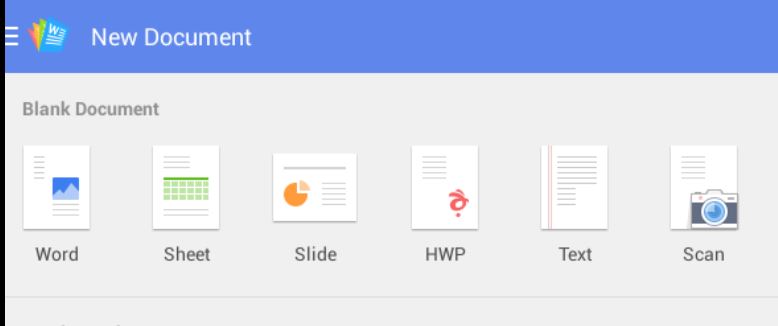 To start a new document, just click on Word and you can just start writing, typing or talking.
Note the menu opotions and the tools where you can change the font and the colouring of the text etc. You may also have a small reversed out plus symbol in a circle which allows you to add different features. Please note my delicate handwriting!
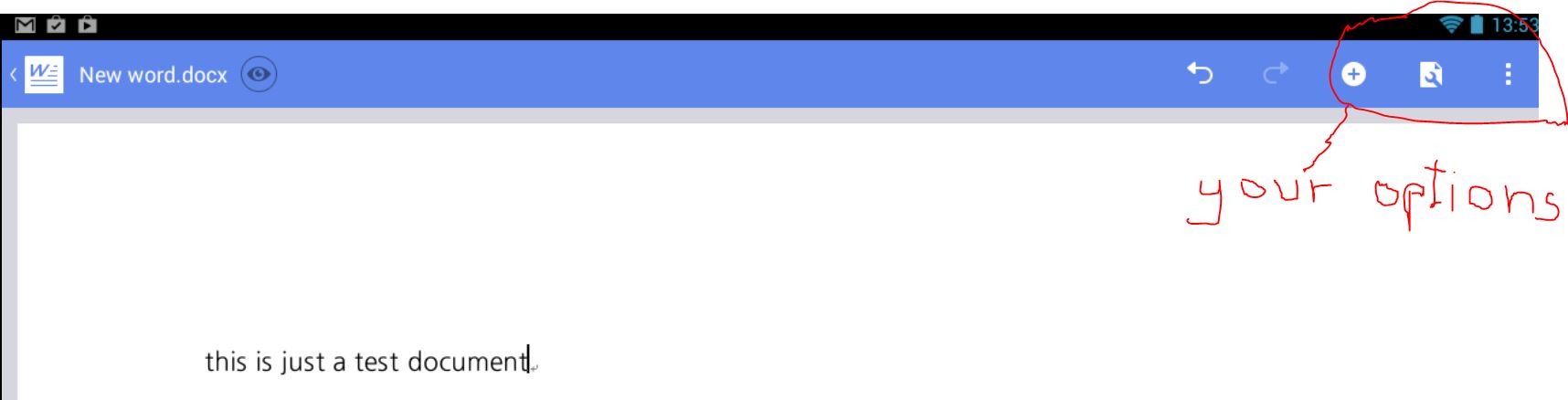 On the very left at the top is an arrow pointing left. Tap it and then (if it is the first time) choose Save As. Give the document a name and then note the Path (or location) in which the document is saved. Do not change this, but note the small folder icon on the right with a plus symbol on it which would allow you to create a new folder. When read, tap Save. You should be returned to your document so you can carry on working on it.
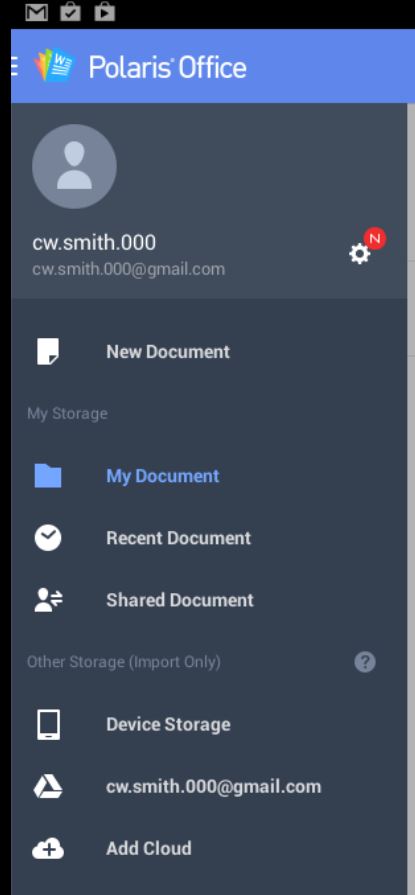
To leave Polaris Word press/tap the Return button You are taken back to the Polaris start screen. Tapping on the menu option here brings up details enabling you to find previous documents (stored in my document?)
Now, back to editing that document. It would be really good if each person could write a few words of their experiences of the sessions and what they have gained. They can be annonymous and will go towards strengthening any funding applications we make. They will appear onthe web site under a new heading called testimonials.
So, get writing! When you have finished can you make sure to save your work and then share it with me by opening the menu, choosing Share and then attach it to an email sent to chris@virtualriders.net.
Good luck… and Thankyou.